Upperizon
Upperizon Portable Monitor 21.5 inch FHD 110% sRGB 120Hz IPS HDR HDMI USB-C Travel Monitor for Laptop MacBook PC Surface PS5 Xbox, Large External Display with Kickstand & Speakers, VESA Compatible
Upperizon Portable Monitor 21.5 inch FHD 110% sRGB 120Hz IPS HDR HDMI USB-C Travel Monitor for Laptop MacBook PC Surface PS5 Xbox, Large External Display with Kickstand & Speakers, VESA Compatible
Couldn't load pickup availability
Portable Monitor for Laptop: Equipped with USB-C and HDMI ports. this 21.5" portable travel monitor is compatible with most devices including MacBook. Surface. laptop. PC. Xbox. PS4/5. and more. Just enjoy the USB-C plug & play convenience. please confirm your device has the Thunderbolt 3/4/5 or Full-featured USB-C port. If you meet the issue of screen flickering. normally caused by insufficient power supply. please use the original power adapter for power
Eye Care. Flicker-Free and Built-In Speakers: Built with an Anti-Glare coating and LCD panel. this external computer monitor minimizes reflections and reduces glare. while its flicker-free technology eases eye fatigue during long working hours. Built-in speakers deliver clear audio. enhancing your experience when viewing videos or playing casual games
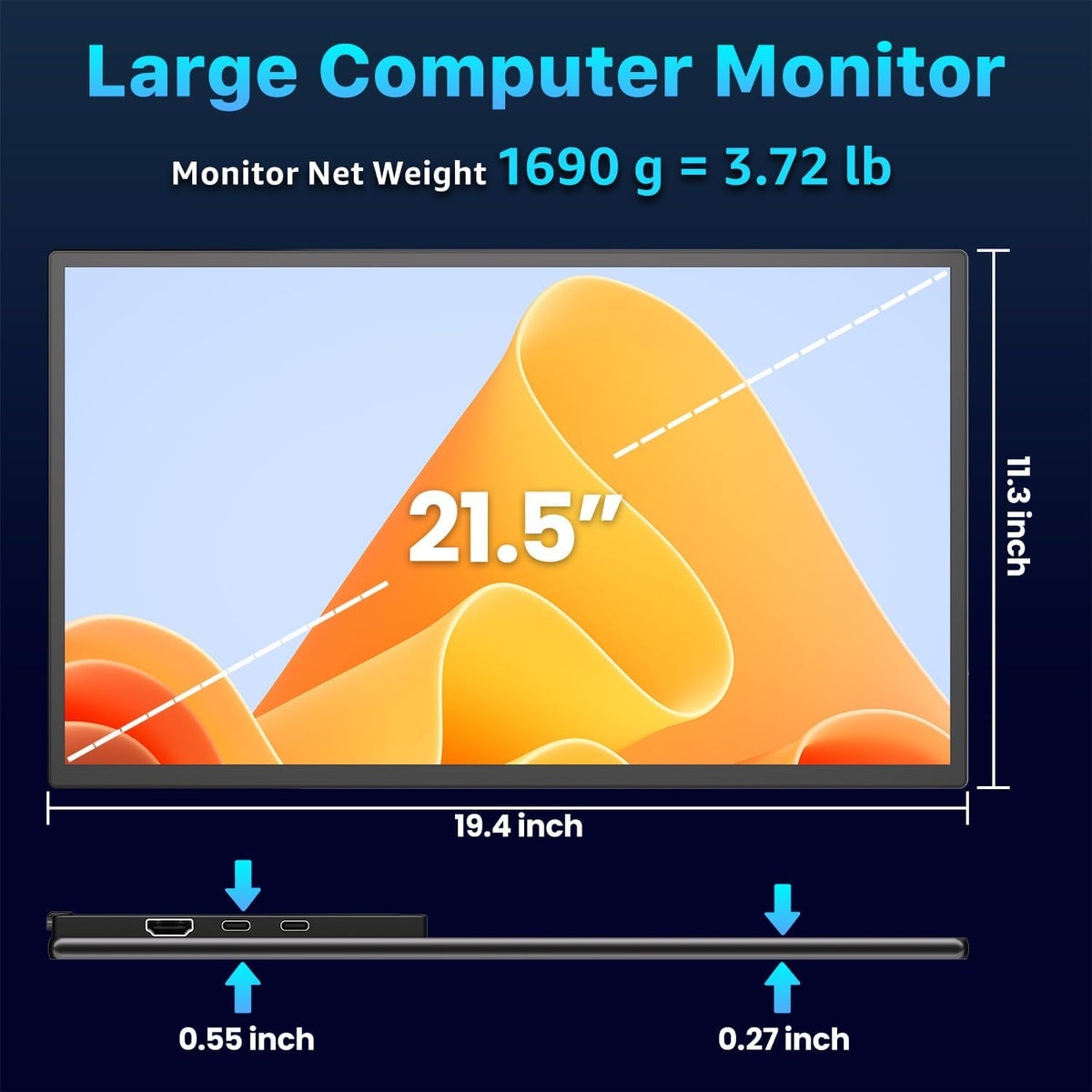
Ultra-Slim. Frameless & Lightweight Design: Crafted with a 3-sided frameless design and ultra-slim profile. this portable laptop monitor weighs 3.72 lbs. Whether working in the office. traveling. or relaxing at home. enjoy a premium second-screen experience anywhere you go
Adjustable Kickstand & VESA Mount Compatibility: The Upperizon 21.5" second monitor for laptop includes a sturdy built-in kickstand that adjusts up to 90°. giving you flexible viewing angles for work or entertainment. It also supports a 75x75mm VESA mount. allowing easy attachment to a monitor arm or wall mount. Use it in landscape or portrait mode to maximize productivity and comfort in any setup
1Portable Computer Monitor2for Conference Sharing3Expansive Viewing Display4120Hz Gaming Monitor5Powerful WorkStation
Why doesn't it work when I connect the monitor with my devices by my our USB-C cable?
Please confirm the USB-C port on your device is Thunderbolt 3/4/5 port or supports DisplayPort Alt Mode.
There are two kinds of USB-C cables. USB-C charging cable and USB-C video cable (the original one). Your own cable may be only a charging cable.
What should I do if my monitor screen keeps flickering?
Please make sure you're powering the monitor by the original power adapter in the package.
My Android phone has a USB-C port. does this monitor work with my phone/tablet by the original USB-C to USB-C cable?
Android phones work with monitor via original USB-C cable:
1)Samsung(S8/S9/S10/S20/S21/S22series; Note8/9/10/20; Galaxy Fold. Z Fold 2/3/4)
2)Google Pixel 8/9 series
Others need an HDTV cable to work.
Connect monitor to power to avoid power shortage.
How do I connect the iPhone to the monitor?
1. iPhone 15&16&17 series(excluding iPhone 16e&17air) works with monitor by original monitor USB-C cable
2. iPhone before 15 series(e.g iPhone 13) needs an Apple Lightning Digital AV Adapter
3. Please use original power adapter to power the monitor.
Is this monitor compatible with Switch/Switch 2?
1.It is compatible with the original Switch
2.It is NOT compatible with new Switch 2 via USB-C connection. Please connect monitor to the HDMI port on the Switch 2's dock to get the display signal.Please use original power adapter to power the monitor
Why doesn't it work when I connect the monitor with my devices by my our USB-C cable?
What should I do if my monitor screen keeps flickering?
My Android phone has a USB-C port. does this monitor work with my phone/tablet by the original USB-C to USB-C cable?
How do I connect the iPhone to the monitor?
Is this monitor compatible with Switch/Switch 2?
Share